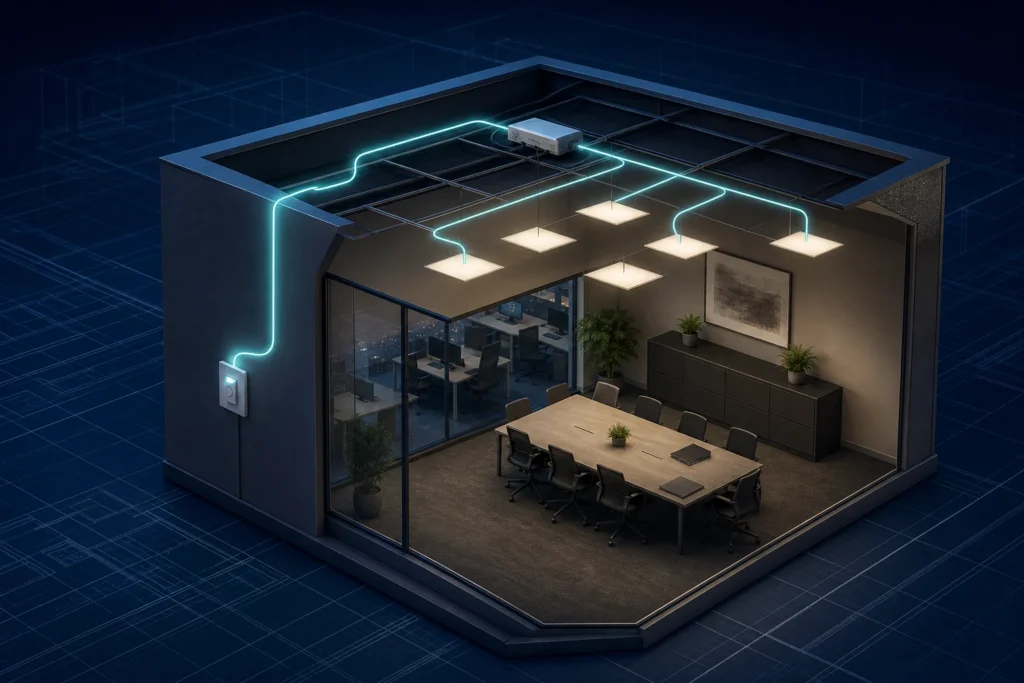
SwitchDIM lighting control is a practical push-button dimming method for compatible LED control gear. It suits simple local dimming where a full addressable commercial lighting control system would be more complex than the room requires.
For Lumenloop projects, SwitchDIM is best treated as a driver and wiring decision. It can be useful for small rooms, simple grouped dimming and replacement luminaires where local switching is enough, but it should not be treated as interchangeable with DALI, DSI, phase dimming, Casambi or emergency monitoring.
Short answer: what SwitchDIM means in lighting control
SwitchDIM is a dimming function built into compatible LED drivers and control gear. A momentary retractive push button is wired to the driver input. A short press switches the luminaire on or off, while a longer press raises or lowers the light output.
That makes SwitchDIM different from a rotary wall dimmer and different from a DALI control network. The control intelligence sits in the driver, not in a separate scene controller or addressable lighting management system.
The useful commercial question is not only what SwitchDIM means. It is whether the selected luminaire range, driver option, push-button wiring and future control requirement all suit a local dimming arrangement.
Push DIM, TouchDIM and SwitchDIM naming
SwitchDIM is often discussed alongside terms such as Push DIM, TouchDIM, push-to-dim and switch and dim. The wording varies by manufacturer, but the core idea is similar: a retractive push switch is used to dim a compatible driver, ballast or control gear input.
That is not the same as using a rotary dimmer switch on a phase-dimmable circuit. With SwitchDIM, the push button tells the driver how to adjust brightness. With phase dimming, the dimmer changes the mains waveform feeding compatible dimmable control gear.
Some digital one4all-style drivers can detect DALI, DSI or SwitchDIM-style operation on the control input, but the installation still needs to follow the selected driver data. The control wire, switch type and circuit arrangement should be confirmed before the luminaire order is placed.
How SwitchDIM works
A SwitchDIM arrangement normally uses a momentary push button connected to the control input of a compatible LED driver. On suitable control gear, the same driver family may also support DALI or DSI, but the wiring and commissioning expectation are different.
In use, the installer or end user controls the luminaires by pressing the local switch. Brief presses switch the light output, while a held press changes the dimming level. Some drivers can also synchronise connected fittings after a long push, which helps where several drivers have drifted into different dimming states.
This is why SwitchDIM is often attractive for small commercial rooms. It gives simple dimming control without adding a full DALI controller, app-based wireless commissioning or a more involved lighting management system.
SwitchDIM vs DALI, DSI and Casambi
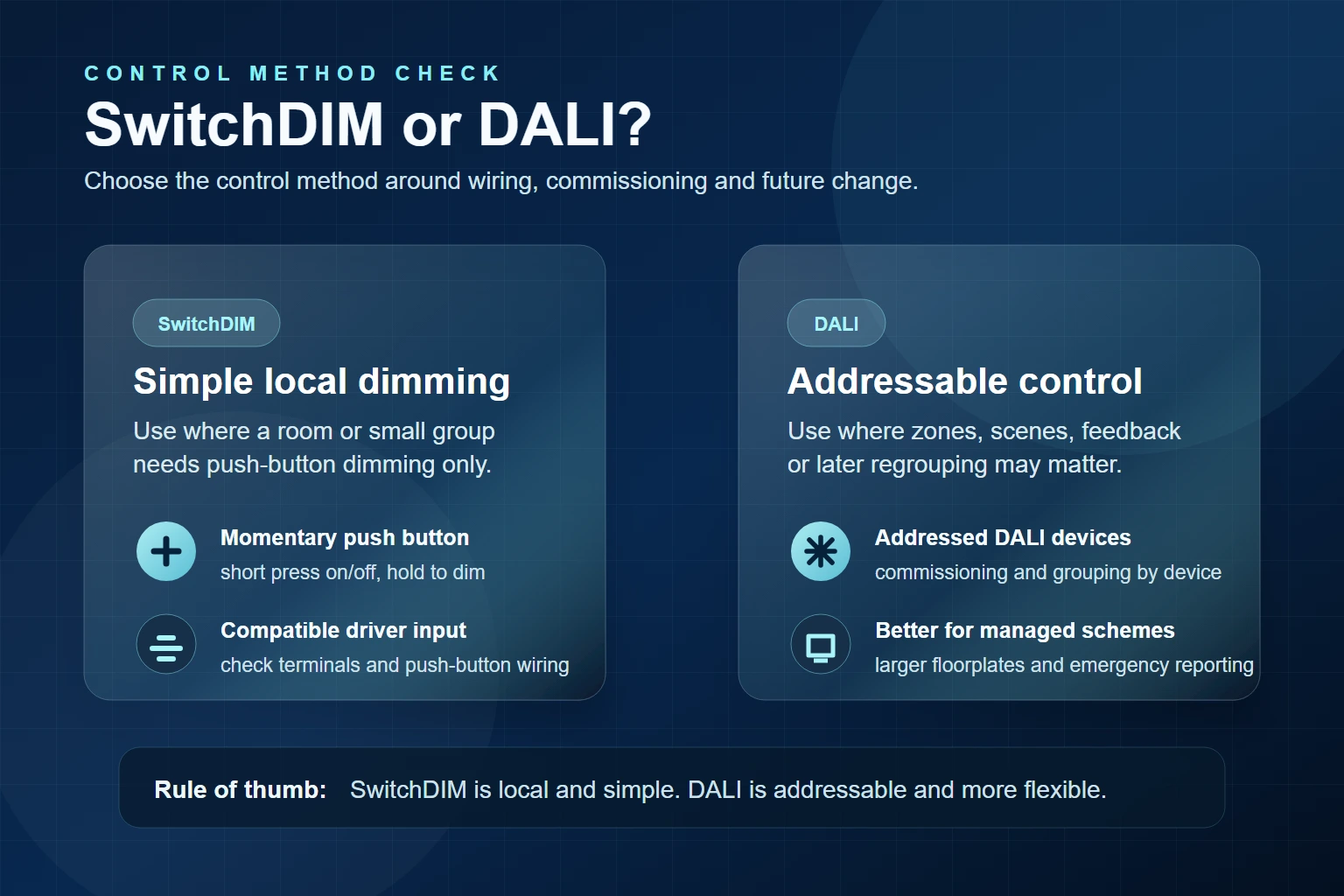
SwitchDIM sits in a different part of the control conversation from DALI and Casambi. It is local and simple. DALI is addressable and better suited to commissioned zones. Casambi is wireless and useful where app commissioning, retrofit flexibility or Bluetooth mesh control is needed.
| Control method | How it behaves | Commercial use |
|---|---|---|
| SwitchDIM | Momentary push-button dimming on compatible control gear | Small rooms and simple local dimming groups |
| DALI | Addressable digital control with device-level commissioning | Larger schemes, grouped zones, scenes, feedback and future layout changes |
| DSI | Digital broadcast dimming to compatible drivers | Simple digital grouped dimming where DSI equipment is already part of the project |
| Phase dimming | Mains dimming through compatible dimmers and drivers | Selected retrofit or simple dimming projects where load compatibility is clear |
| Casambi | Bluetooth mesh wireless control | Retrofit flexibility, app commissioning, wireless scenes and local control changes |
The clearest comparison is with DALI. SwitchDIM is useful when local push-button dimming is enough. DALI is usually stronger when the project needs addressable devices, centralised commissioning, scene control, future regrouping or emergency reporting.
For older or simpler digital dimming projects, the same conversation can also include DSI lighting control. DSI and SwitchDIM can both suit simple grouped dimming, but they are not the same control method and should be separated by driver support and wiring requirement.
Where SwitchDIM still makes sense
SwitchDIM is worth considering where the room does not need individual luminaire addresses, central control screens or complex scenes. Typical examples include small meeting rooms, back-of-house areas, staff rooms, store rooms, service spaces and simple cellular office areas.
It can also be useful when a contractor wants a familiar wall-switch interaction but the project still needs dimming rather than fixed-output switching. In that situation, the control gear choice matters as much as the luminaire body, output and optics.
| Project condition | SwitchDIM fit | Reason |
|---|---|---|
| One room, one local switch position | Good fit where the driver supports it | The user gets simple on/off and dimming control |
| Small group of luminaires dimming together | Often suitable | The group does not need individual addresses |
| Frequent layout changes | Review DALI or Casambi | Addressable or wireless control may be easier to alter later |
| Emergency reporting required | Review DALI emergency arrangements | SwitchDIM is not a central emergency monitoring method |
| Existing phase dimmer on site | Check driver and dimmer compatibility | Phase dimming and SwitchDIM use different control arrangements |
Control gear checks before choosing SwitchDIM
The control decision should be made before the luminaire is priced or ordered. A product family may have a fixed-output option, a mains dimming option, a DALI or DSI option, a SwitchDIM-compatible option, a Casambi option and separate emergency variants. Those should not be collapsed into one generic dimmable choice.

- Confirm the selected luminaire range can be supplied with compatible SwitchDIM control gear.
- Check whether the project needs fixed output, local dimming, DALI, DSI, phase dimming, Casambi or sensors.
- Confirm the push button is momentary and suitable for the driver arrangement.
- Separate the dimming method from any emergency lighting or self-test requirement.
- Allow for future changes; if grouping may change later, DALI or Casambi may be more appropriate.
When DALI or Casambi is the better control choice
SwitchDIM becomes less attractive when the project needs more than local push-button dimming. DALI is usually the better option where luminaires need to be addressed, grouped by commissioning, monitored, connected to wider control equipment or changed later without rewiring the switching arrangement.
Casambi may be worth reviewing where a wireless approach is useful, especially in retrofit spaces where extra control wiring is difficult or where app-based scene setting is part of the brief. The choice still needs to be checked against the selected luminaire range and driver options.
For a broader comparison across DALI, DSI, SwitchDIM, phase dimming and wireless options, Lumenloop also has a dimming protocol quiz and a dedicated guide to Casambi lighting controls.
How this affects luminaire selection
SwitchDIM should be reviewed alongside the actual fitting type. The same control question may appear on commercial downlights, linear lighting, LED panel lighting, suspended lighting and other commercial ranges, but the available driver and emergency options are not identical across every product.
Selected Lumenloop product data includes DALI, SwitchDIM and DSI-style control gear options, usually as a product-configuration choice rather than a universal default. That makes the product range, output, controls and emergency requirement part of the same conversation.
If the project only needs local dimming in a small room, SwitchDIM may be enough. If the project needs addressable grouping, future reconfiguration, remote scenes or emergency reporting, DALI or another control method should be reviewed before the luminaire schedule is fixed.
SwitchDIM FAQ
Is SwitchDIM the same as DALI?
No. SwitchDIM uses a local push-button input on compatible control gear. DALI is an addressable digital control protocol used for commissioned lighting networks, zones, scenes and feedback-capable arrangements.
Does SwitchDIM need a special wall switch?
It normally uses a momentary retractive push button rather than a standard maintained wall switch or rotary dimmer. The exact arrangement should follow the selected driver and electrical design.
Can SwitchDIM control multiple luminaires?
Yes, where compatible drivers and wiring are used for a simple dimming group. For larger zones, individual device control or later regrouping, DALI is usually the stronger option.
Is SwitchDIM suitable for emergency lighting monitoring?
No. SwitchDIM is a local switching and dimming method. Emergency operation, self-test and DALI emergency monitoring need to be reviewed as separate product and control-gear requirements.
Can Lumenloop supply SwitchDIM-compatible luminaires?
Selected Lumenloop ranges can be configured with DALI, SwitchDIM or DSI-style control gear where the product data supports it. Confirm the luminaire type, quantity, control method and emergency requirement before quotation.
Request SwitchDIM control support
If a project is being reviewed for SwitchDIM, send the fitting type, approximate quantity, switching arrangement, required control method and emergency requirement where known. Lumenloop can then help match the product range and control gear option before quotation.