UK-made LED panels, linear luminaires and downlights for replacing office lighting. Select fittings for the existing ceiling, desk layout and glare requirement, with the required driver and emergency options included in your luminaire quotation.
LED panelsLinear lightingLow-glare downlightsDALI or Casambi controls
Office zonesDesks, meeting rooms, circulation and reception can each need a different selection.
UGR and comfortProduct choice is shaped by output, optics and the working layout.
ControlsDALI, Casambi, sensors and daylight strategy are considered before the schedule is priced.
Upgrade supportSchedules, room lists and survey notes can be turned into a product selection.
Product Selection
Office LED panels, linear luminaires, downlights and controls by zone.
For a workplace upgrade, the useful question is which luminaire ranges fit each part of the office: desks, meeting rooms, circulation, reception and support spaces.
Choose replacement fittings for the existing office.
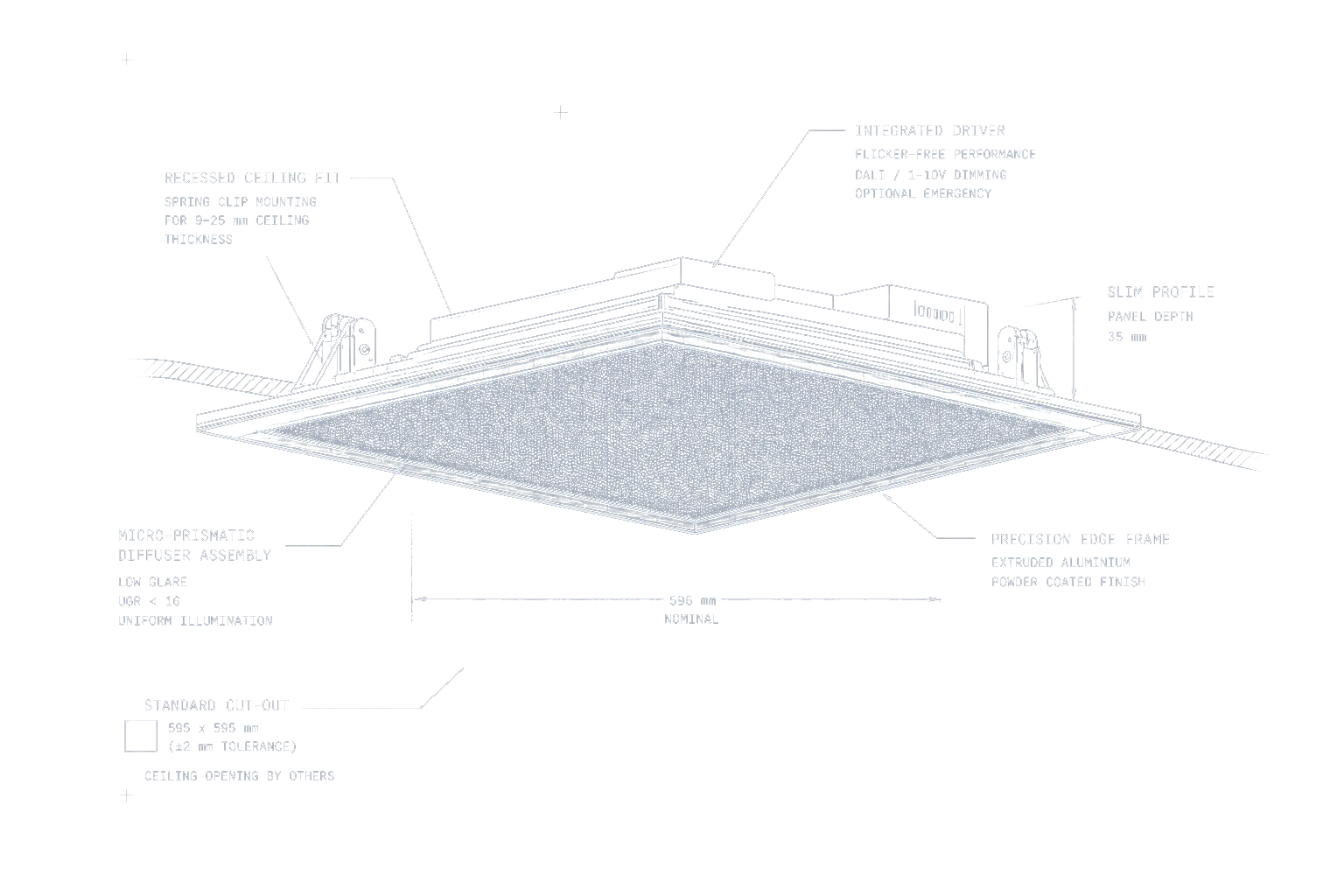
Record the old fitting dimensions, ceiling grid or cut-out and available void depth. For desk areas, compare low-glare LED panels with low-glare linear luminaires; matching the old wattage alone does not confirm a suitable replacement.
Layout
Map desks, screens, collaboration areas, circulation and meeting rooms before choosing luminaires.
A mixed schedule usually performs better than forcing one product type across the office.
Glare
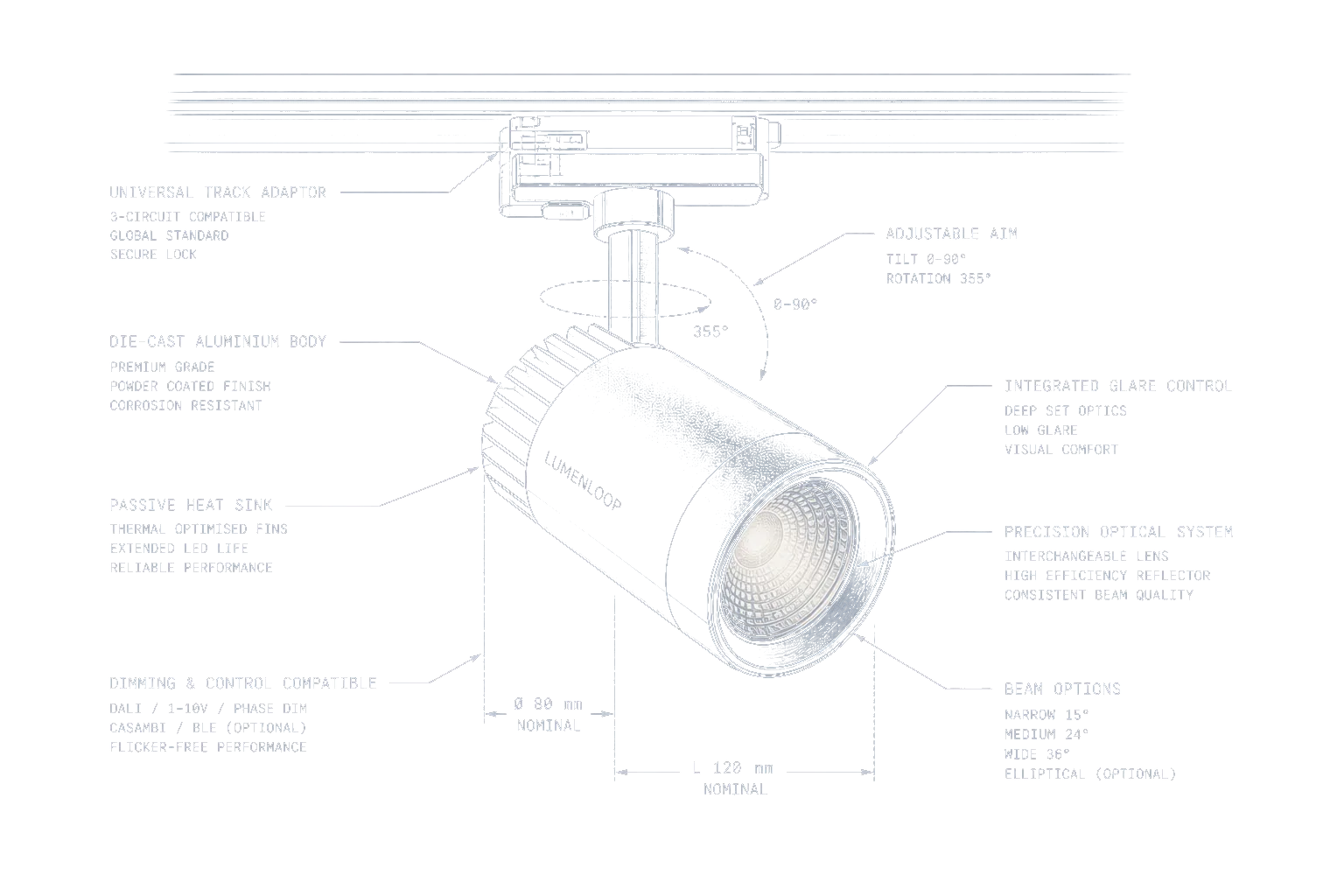
Check UGR expectations, desk orientation, screen use and optical control before selecting output.
The right office upgrade often needs lower glare, not simply higher lumens.
Controls
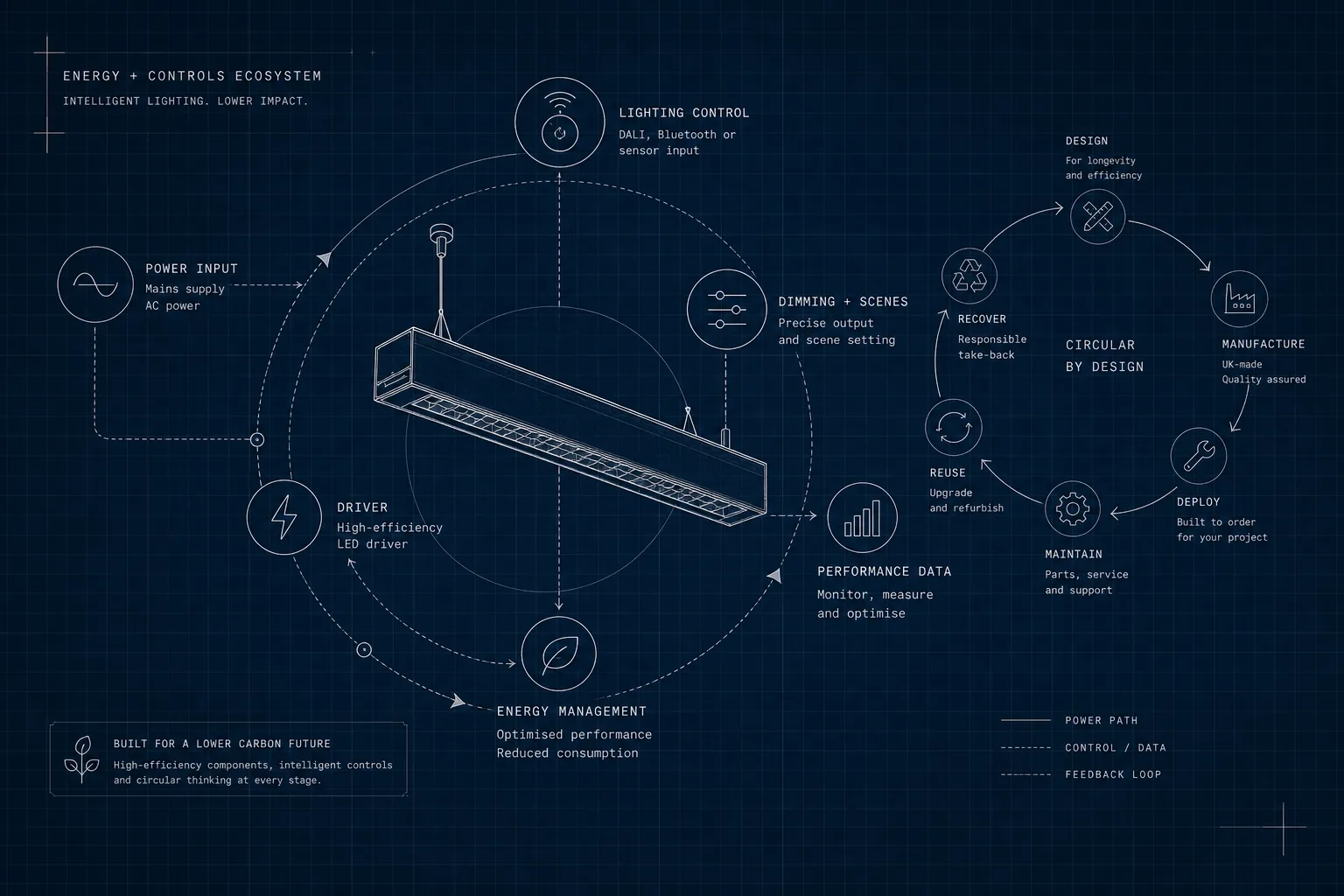
Decide whether zones need DALI, Casambi, occupancy sensing, daylight dimming or local scene control.
Control choice affects drivers, wiring and product configuration.
Emergency
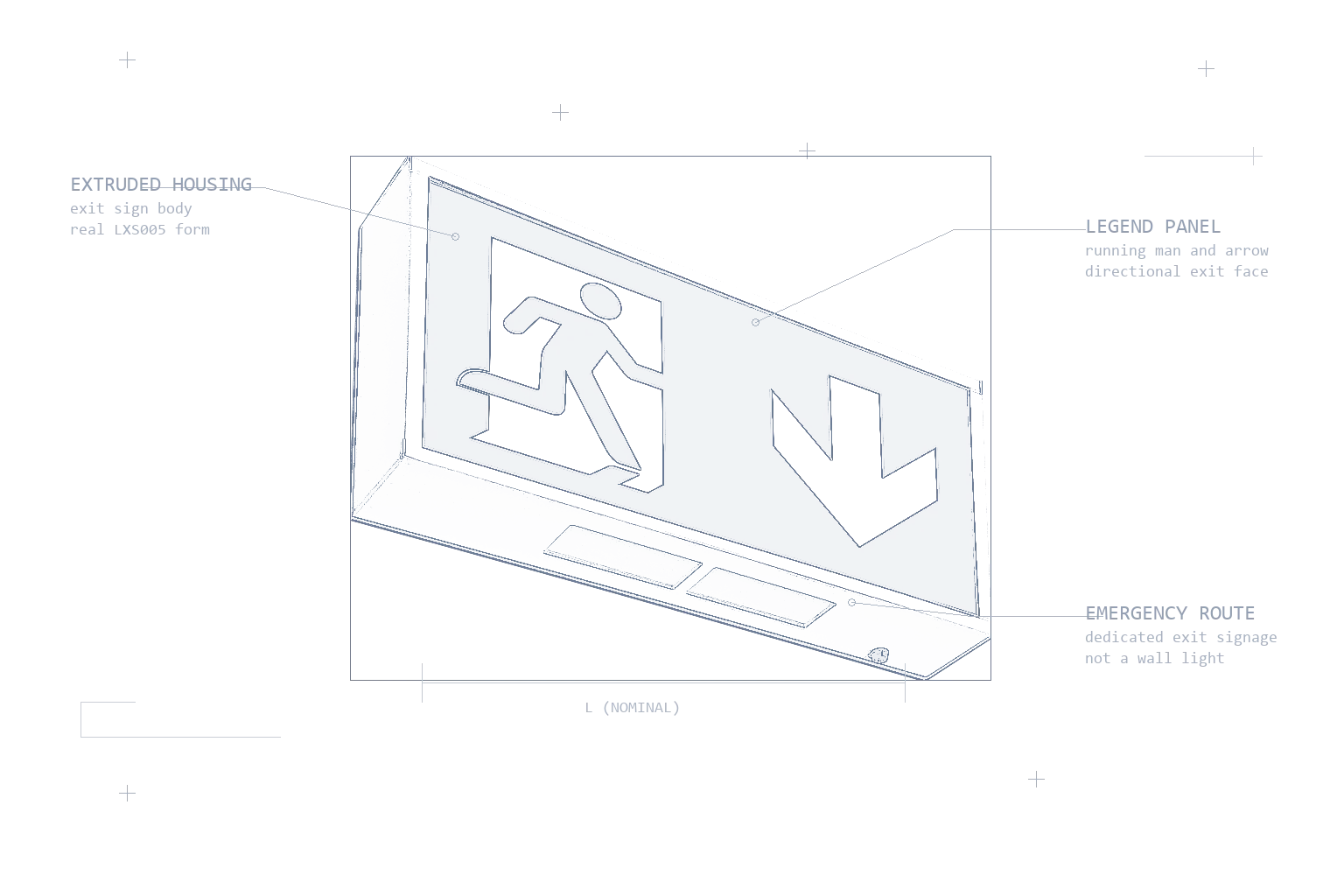
Keep final exits, open areas and conversion options in the upgrade requirement.
This prevents emergency lighting being treated as a late add-on.
Office Upgrade Plan
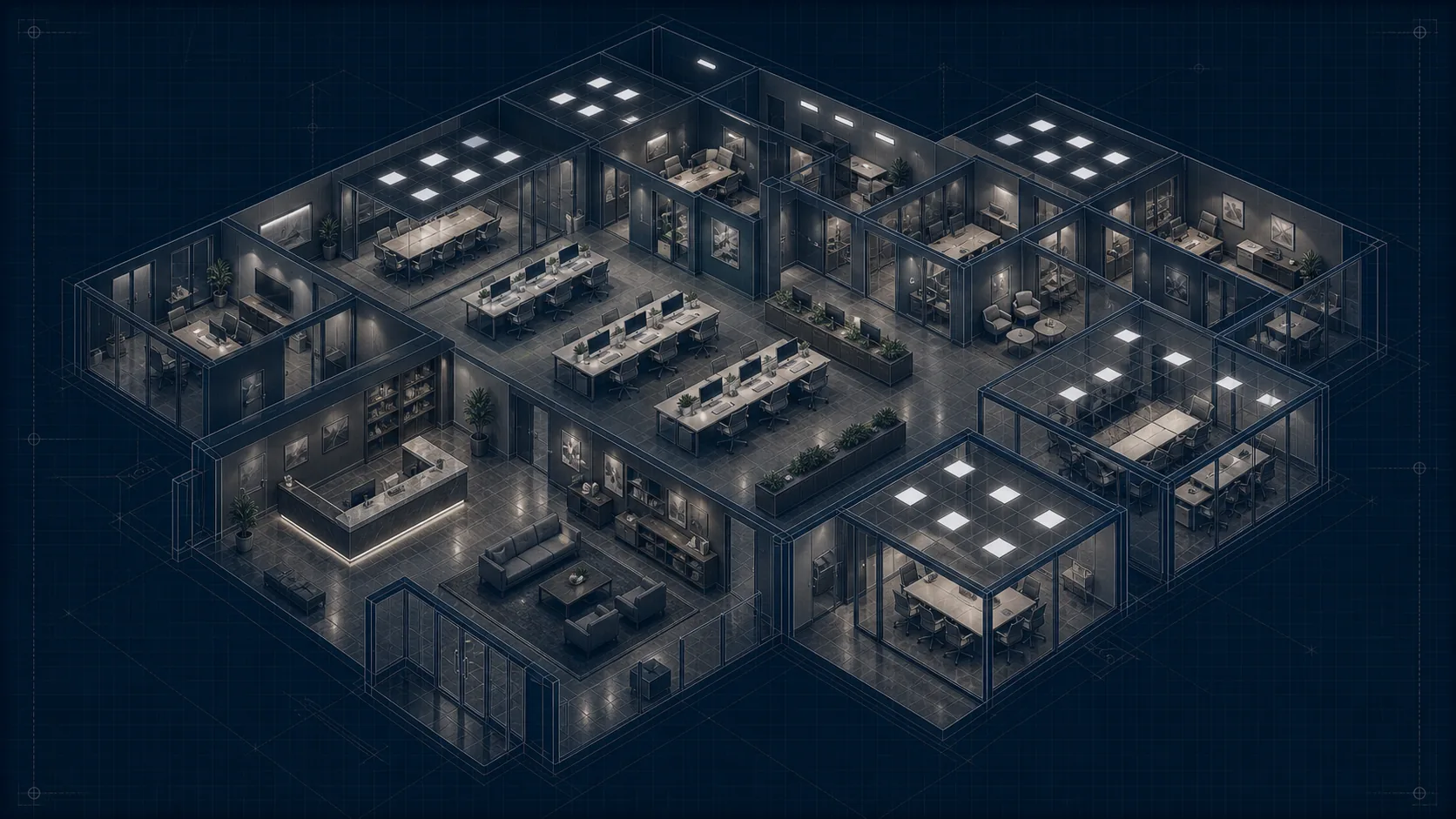
Review desks, circulation and controls in one isometric office layout.
The office upgrade becomes easier to issue when desk layout, circulation, meeting rooms, low-glare zones, switching groups and emergency coverage are reviewed in one coordinated office view.
Desk layoutUGR reviewDALI or CasambiEmergency notes
Application Guidance
Specification guidance that supports selection.
Office LED lighting upgrades need enough detail for desks, screens, circulation, meeting rooms, controls, emergency coverage and ceiling constraints.
Desk and screen areas
Office LED lighting upgrade work is shaped by desk layout, screen orientation, UGR expectations and the ceiling grid or suspension points.
Meeting rooms and collaboration spaces
Scene control, dimming and softer visual comfort can matter more than the same output used across open-plan areas.
Reception and circulation
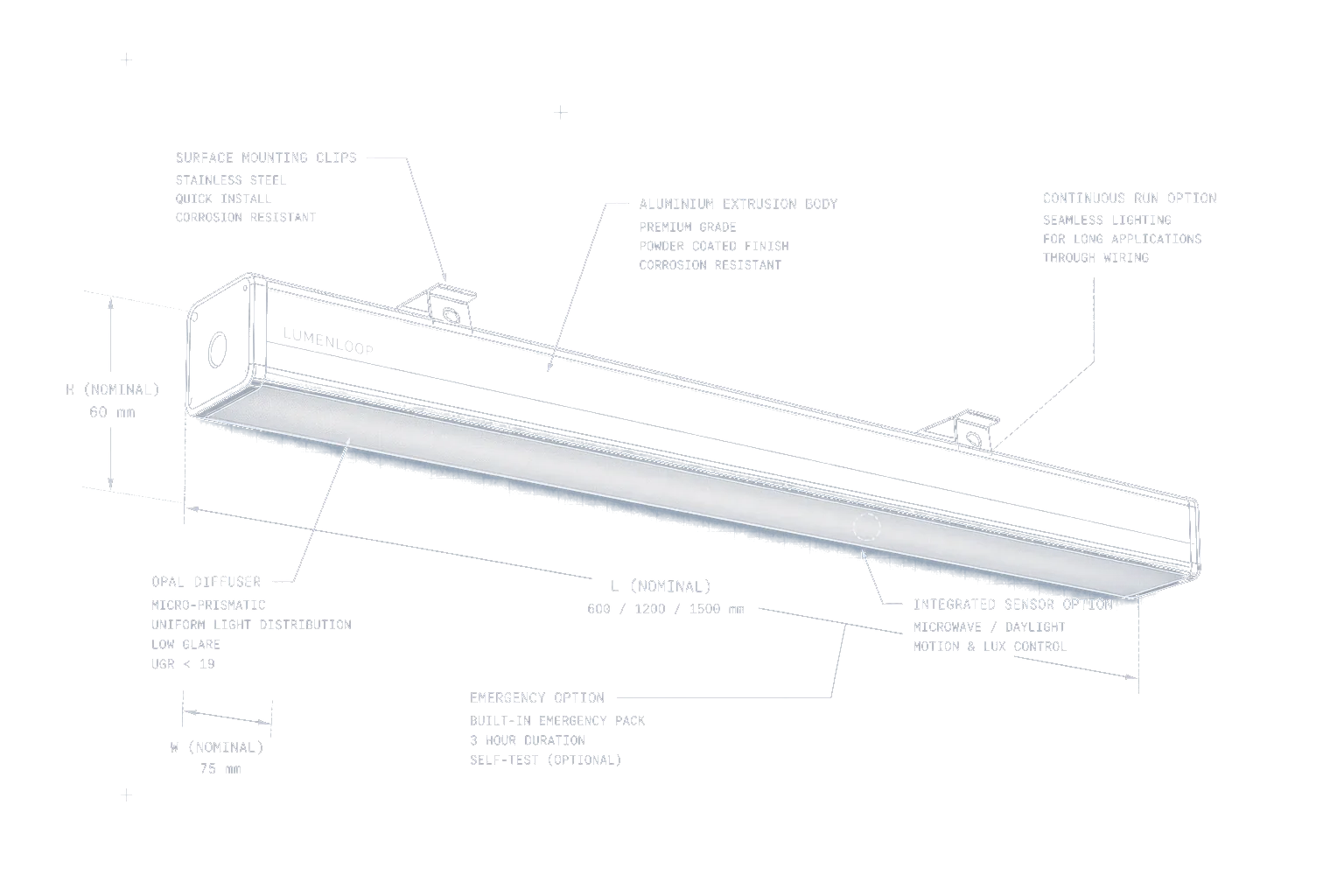
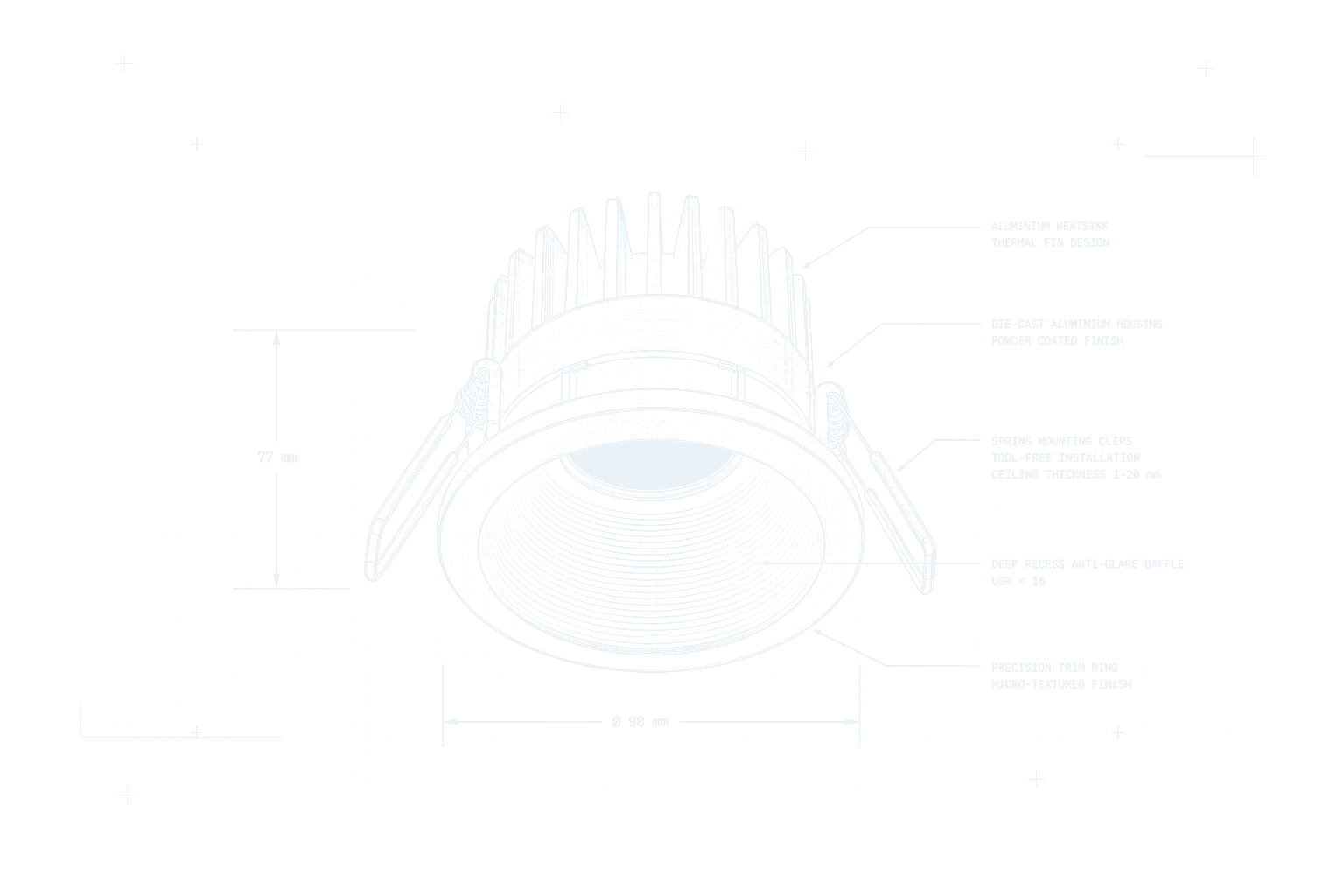
Downlights, linear runs and feature lighting can handle circulation, lift lobbies and reception areas without forcing desk-area luminaires into every space.
Controls and emergency coverage
DALI, Casambi, occupancy sensing, daylight response and emergency conversion should be reviewed before the fitting schedule is issued.
FAQs
Project FAQs.
Practical answers for product selection, controls, emergency lighting and project information.
What products are used for an office LED upgrade?
Office upgrades commonly use LED panels, linear luminaires, commercial downlights, controls and emergency lighting. The mix depends on desk layout, ceiling type, glare target and room use.
Should an office use panels or linear lighting?
Panels can suit grid ceilings and desk areas, while linear lighting can suit open-plan zones, feature runs and suspended details. Many offices use both.
Do controls need to be specified early?
Yes. DALI, Casambi, occupancy sensing and daylight-linked dimming can affect drivers, wiring, commissioning and the final luminaire schedule.
Can Lumenloop review an office lighting schedule?
Yes. Include the fitting type, quantities, ceiling type and required controls or emergency options for office lighting product information.
Project Support
Request office replacement luminaire pricing.
Include fitting quantities, existing dimensions or photographs, ceiling type, control preference and emergency requirements. State any restrictions on changing the wiring or mounting arrangement so the replacement fitting and driver can be confirmed before ordering.
Project information. Room lists, photos and survey notes are enough to start.
Get a luminaire selection. Lumenloop can match the relevant ranges before the schedule is issued.
Keep controls and emergency in scope. Driver, testing, dimming and emergency requirements are handled with the selection.

 Layout
 Glare
Glare Controls
 Emergency