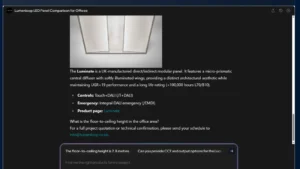
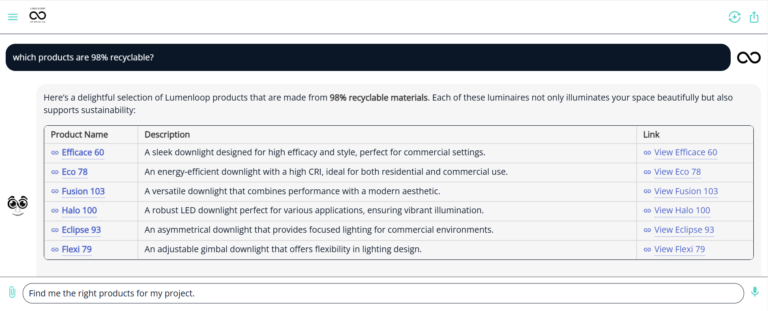
Lumenloop’s free AI lighting assistant, Loopy, helps you research commercial luminaires and prepare clearer specification questions. Describe the space, mounting, output, optics and control requirements, then ask it to identify information that needs checking.
You can use the dedicated assistant or open the chat button on the website. These ten examples show how to make a lighting question more useful. Treat the response as research and verify the exact product options against current Lumenloop information.
1. Describe the room before asking for a fitting
Start with the application and ceiling condition. An office, hotel corridor and retail display need different distributions and mounting arrangements. Give Loopy that context before asking about a particular product.
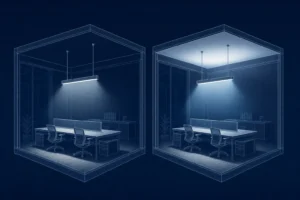
Try asking Loopy: We are researching lighting for an open-plan office with a suspended ceiling. Explain the differences between recessed panels and suspended linear luminaires, and list the information needed to compare them.
2. Search for a downlight by cut-out and mounting depth
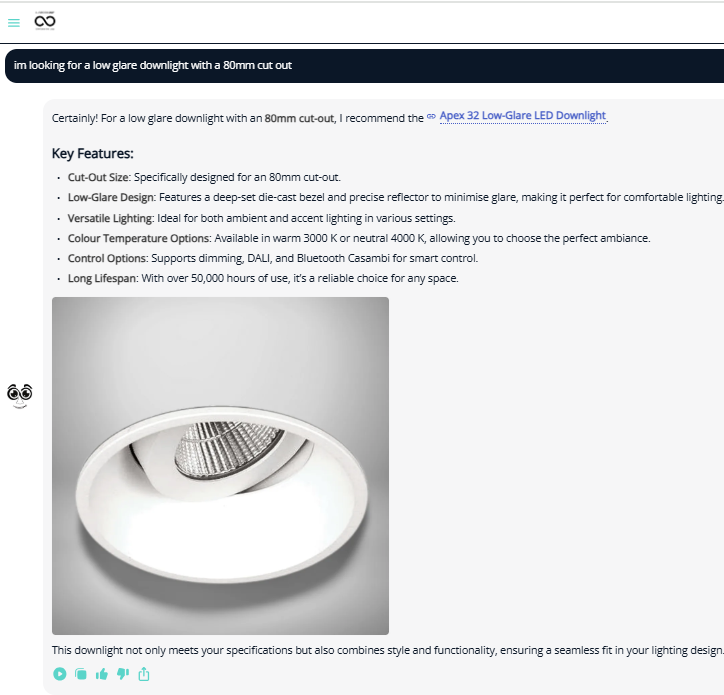
A replacement downlight must suit the opening and the space above the ceiling. State the measured cut-out, available depth and whether a remote driver can be accommodated. Ask for published dimensions rather than accepting an approximate match.
Try asking Loopy: The ceiling opening is 80 mm. Which Lumenloop downlight ranges should I check? Give the published cut-out and installation depth where available, and flag missing dimensions.
3. Compare beam angle and light distribution
A narrow beam may suit an accent, while a wider distribution serves a different purpose. Use AI to clarify the distinction before choosing the optic. Beam angle alone cannot establish spacing, illuminance or glare performance.
Try asking Loopy: Explain what changes when I compare narrow and wide downlight optics. What information would a lighting designer need before choosing the spacing?
4. Separate lumen output from electrical power
Lumens describe light output; watts describe power. Ask Loopy to separate them and identify the exact output option being discussed. A room illuminance calculation also depends on geometry, distribution, reflectances and maintenance assumptions.
Try asking Loopy: Compare these two published luminaire options by output, power, CCT and optic. Leave any unsupported value blank.
5. Ask about the supplied driver and optional controls
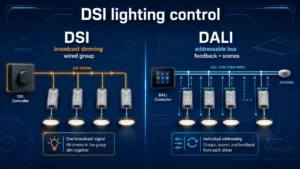
Fixed output, phase dimming, DALI and Casambi require different driver or control arrangements. Ask which arrangement is stated for the exact fitting and which alternatives need confirmation. A dimmable label does not establish compatibility with every system.
Try asking Loopy: I need DALI dimming. What driver information should I check on the luminaire, and how does that differ from a Casambi arrangement?
6. Prepare an emergency lighting question
State whether the question concerns an exit sign, a dedicated emergency fitting or an emergency option within a general luminaire. Ask about operation and testing separately. The final arrangement needs project-specific design and verification.
Try asking Loopy: What should I ask when comparing maintained emergency operation, self-test and DALI emergency testing? Do not assume a general DALI driver provides emergency testing.
7. Compare linear lighting mounting options
Recessed, surface and suspended linear luminaires impose different installation conditions. For continuous runs, ask about lengths, joins, feed points and the information needed to confirm the assembled system.
Try asking Loopy: We are considering a continuous linear run. List the mounting, module, join and power-feed questions we should resolve before specifying it.
8. Make finish and colour quality explicit
Ask about CCT, CRI and finish as separate choices. A finish image does not establish that every model is available in that colour, and a CCT value does not describe colour rendering.
Try asking Loopy: What should I verify when specifying a 3000 K commercial luminaire with a particular RAL finish and a stated CRI requirement?
9. Identify gaps in a draft specification
Paste a non-confidential extract and ask the assistant to identify missing information. A useful answer exposes uncertainty rather than filling it with plausible values. Review the service’s data handling before uploading project documents.
Try asking Loopy: Check this draft luminaire description for missing mounting, output, optic, CCT, CRI, driver and emergency details. Do not invent values or approve compliance.
10. Turn the conversation into a concise enquiry
Ask Loopy to organise the questions you still need to answer. Keep confirmed requirements separate from preferences. Include the exact range or model when requesting a response from Lumenloop.
Try asking Loopy: Summarise the unresolved product questions from this conversation into a short manufacturer enquiry. Separate confirmed requirements from assumptions.
Does an AI lighting assistant control the lights?
Loopy provides conversational product and specification assistance. It does not switch or dim your installed lighting. Physical lighting control requires compatible drivers, controllers and, where relevant, sensors and commissioning. Compare commercial lighting control methods when defining that part of the project.
Check the answer before specifying
Confirm model codes, dimensions, output, optics, control gear and emergency options from current datasheets. Use the appropriate photometric files for lighting calculations. AI cannot approve UGR, emergency coverage or regulatory compliance from a conversation.
Ask Loopy about your lighting question, then use the Lumenloop luminaire ranges to check the product information.