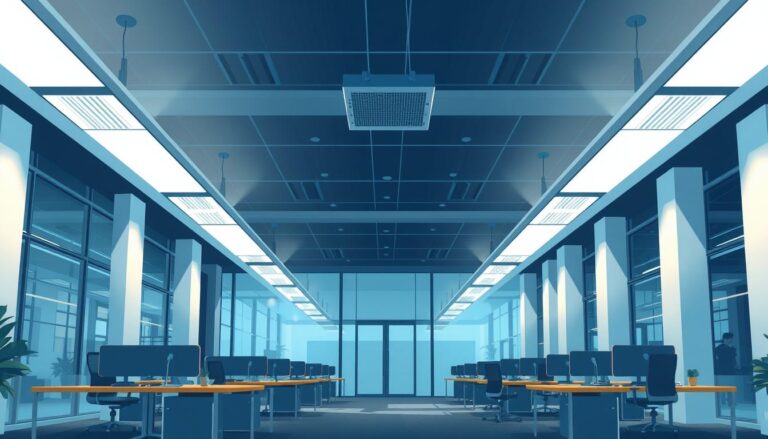
Unified Glare Rating (UGR) is a method for predicting discomfort glare from a lighting installation. The lower the calculated value, the lower the expected glare for the assessed viewing position. It is useful, but only when it is treated as a room-and-layout calculation rather than a badge attached to a luminaire.
What does UGR mean in lighting?
Bright luminaires can cause discomfort when their luminance is high compared with the surrounding field of view. UGR combines the main factors that influence this sensation into a single value. In practical terms, it helps a designer compare glare risk at defined observer positions in a completed lighting layout.
The method considers the luminance and apparent size of each luminaire, its position in the observer's field of view and the background luminance. A fitting directly in a critical line of sight may therefore contribute more glare than the same fitting seen at a less troublesome angle.
Why UGR 19 appears in office specifications
BS EN 12464-1:2021 sets requirements for lighting indoor workplaces and uses limiting UGR values alongside illuminance, uniformity and colour rendering criteria. A limit of 19 is widely used for offices where people read, write and work at display screens. The exact requirement still depends on the space and visual task, so the project schedule and the relevant row of the standard should be checked.
UGR steps are normally expressed in a scale such as 10, 13, 16, 19, 22, 25 and 28. Moving from one step to the next is intended to represent a noticeable change in discomfort glare. “Below 19” is therefore shorthand for meeting a calculated limit, not a promise that no individual will ever notice a bright source.
What changes the calculated result?
Luminaire luminance
A high-output light source with a small bright aperture can be more visually demanding than a larger, well-controlled luminous surface.
Optical control
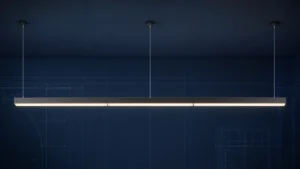
Deep reflectors, louvres, shielding angles and diffusers change how much light is visible at high angles.
Layout and sightlines
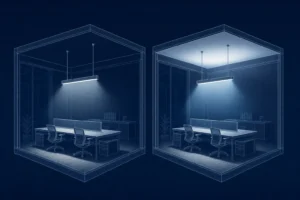
Spacing, mounting height and orientation determine which luminaires appear in an occupant's normal field of view.
Room surfaces
Ceiling, wall and floor reflectances influence background brightness and therefore the contrast around luminaires.
How to design a low-glare office lighting scheme
- Start with the task and room. Record the working plane, desk locations, screen orientation, ceiling height and likely viewing directions.
- Select appropriate photometry. Use current manufacturer photometric files for the exact optic, output and control gear being specified.
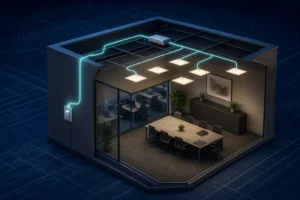
- Build the real layout. Model the room geometry, reflectances, furniture assumptions and luminaire positions rather than relying on a generic spacing table.
- Calculate from relevant viewpoints. Assess normal directions of view, particularly where desks face along rows of luminaires or towards brighter zones.
- Check the whole brief. A layout that improves UGR by reducing output may fail on illuminance or uniformity. Glare, light level, energy and visual quality must be balanced together.
- Review after installation. Confirm aiming, control scenes and furniture positions, because site changes can alter the intended sightlines.
“UGR<19 luminaire” versus a UGR 19 scheme
| Marketing shorthand | What the specification should establish |
|---|---|
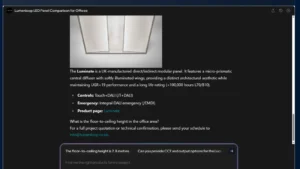
| “This panel is UGR<19.” | The product has photometry suitable for low-glare designs under stated assumptions; the proposed room calculation still needs to meet the project limit. |
| “A microprismatic diffuser prevents glare.” | The complete optic, light output, mounting height, spacing and viewing direction have been evaluated. |
| “The average illuminance is correct.” | Illuminance, uniformity, UGR and other quality criteria are all reported for the same coordinated layout. |
Common UGR mistakes
- Choosing a luminaire from a headline UGR value without checking the calculation assumptions.
- Changing the specified lumen output or optic after the design has been approved.
- Ignoring desk and display-screen orientation.
- Using unrealistic room reflectances to improve a calculation.
- Assessing only one convenient viewpoint.
- Treating a low UGR result as a substitute for good vertical illumination and balanced brightness.
Frequently asked questions
Is UGR 19 good for office lighting?
UGR 19 is a common limiting value for office work, but it must be confirmed against the relevant activity in BS EN 12464-1 and demonstrated in the proposed room layout.
Is a lower UGR always better?
Lower predicted glare can be beneficial, but not if it is achieved by compromising light levels, uniformity or vertical brightness. The best solution satisfies the complete lighting brief.
Can UGR be measured on site?
UGR is principally a calculation method for defined conditions. A site review can identify excessive brightness, reflections and poor sightlines, while photometric checks help determine whether the installed arrangement matches the design.
Do downlights have a UGR rating?
Manufacturers may publish tabular or application data that indicates low-glare potential. Deep-recessed optics can help, but a downlight scheme still requires an installation calculation.
Turn the target into a buildable office scheme
Lumenloop can help translate the room, task and control brief into a coordinated lighting proposal with suitable optics and photometric evidence.
Explore office lightingEstimate office requirementsCompare commercial downlightsTechnical references: BS EN 12464-1:2021 overview. Final compliance should be checked by a competent lighting designer against the complete current standard and project conditions.