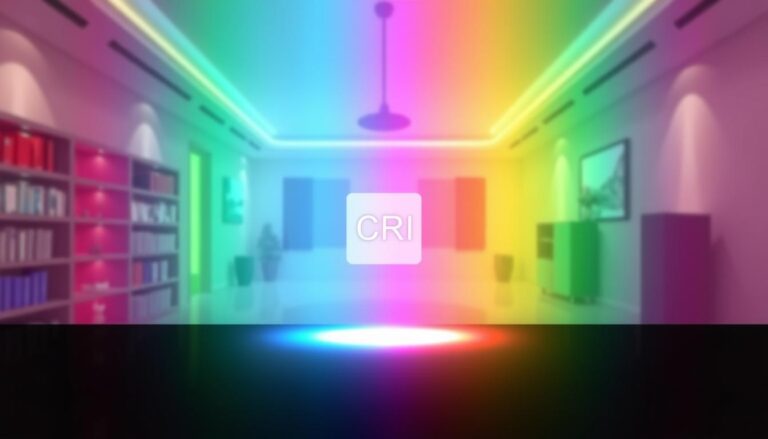
Colour Rendering Index (CRI) describes how consistently a light source renders a set of test colours compared with a reference source of the same correlated colour temperature. The familiar general index is written as Ra and runs to a maximum of 100.
What does CRI mean?
The CIE test-colour method compares the colour appearance produced by a test source with a reference illuminant. The first eight sample scores are averaged to produce Ra. A higher score indicates closer average agreement for those samples; it does not mean that the source makes every colour look equally accurate.
CRI is separate from correlated colour temperature (CCT). Two 4000 K luminaires can have different colour-rendering performance, while a 3000 K and a 4000 K source can have similar Ra values.
CRI 80 versus CRI 90
| Specification | Where it often fits | What to check |
|---|---|---|
| Ra 80+ | General offices, circulation, storage and many everyday commercial tasks | Visual task, individual colour needs, efficacy and product consistency |
| Ra 90+ | Design studios, hospitality, premium retail, healthcare tasks and spaces where people or materials are the visual focus | R9 or other relevant samples, fidelity data, lumen output and energy trade-offs |
| Project-specific | Inspection, artwork, food, textiles, medical or brand-critical applications | Relevant metrics, spectral data, samples and approval under the proposed light |
Why R9 is often discussed
Ra averages the first eight traditional test samples and does not include the saturated red sample known as R9. Red rendering influences skin tones, timber, food, fabrics and warm brand colours, so R9 can reveal a weakness hidden by an apparently acceptable Ra value.
Do not turn R9 into another universal threshold. Identify the colours that matter for the task and request the relevant data from the manufacturer.
CRI and newer colour-quality metrics
The CIE's 2025 position statement recommends a gradual move towards the General Colour Fidelity Index, Rf, while Ra continues to be reported during the transition. Rf uses a broader set of colour samples and can give a more representative picture of fidelity.
For demanding projects, TM-30 information can add fidelity, gamut and hue-shift detail. This helps a specifier understand not just whether colours are faithful overall, but whether groups of colours become more or less saturated.
How to specify colour rendering properly
- Define the visual task. Decide whether people, products, finishes, drawings or inspection colours are critical.
- Set an Ra baseline. Use the applicable workplace standard and project brief rather than copying a generic value.
- Add relevant colour data. Request R9, Rf or TM-30 information where the task justifies it.
- Coordinate CCT and consistency. State colour temperature, chromaticity tolerance and any requirements between batches.
- Check the complete luminaire. Confirm the data applies to the exact LED, optic, output and driver option.
- Review samples. For colour-critical interiors, compare the real materials under the proposed luminaires before final approval.
Common CRI mistakes
- Using CRI and colour temperature as if they were the same thing.
- Assuming Ra 90 guarantees strong saturated-red performance.
- Specifying a metric without identifying the colours or task it supports.
- Ignoring colour variation between luminaires or replacement batches.
- Choosing very high colour fidelity while overlooking output, efficacy and glare.
Frequently asked questions
Is CRI 80 good enough for an office?
It is a common baseline for general office work, subject to the applicable standard and task. Design, sample-review or colour-critical areas may justify higher or more detailed requirements.
Is CRI 100 the same as daylight?
No. A value of 100 means the test source matches its defined reference closely for the CRI samples. Daylight varies in spectrum and colour temperature throughout the day.
Does higher CRI use more energy?
Higher-fidelity LEDs can have an efficacy trade-off, but performance varies by product generation and operating point. Compare delivered lumens, power and colour data for the exact luminaire.
Specify colour quality as part of the whole office scheme
Compare commercial luminaires alongside glare, controls, illuminance and the materials people actually need to see.
Explore office lightingCompare commercial downlightsTechnical references: CIE definition of the general colour rendering index and the CIE colour-rendering method.